Subtitles that are synced from the start
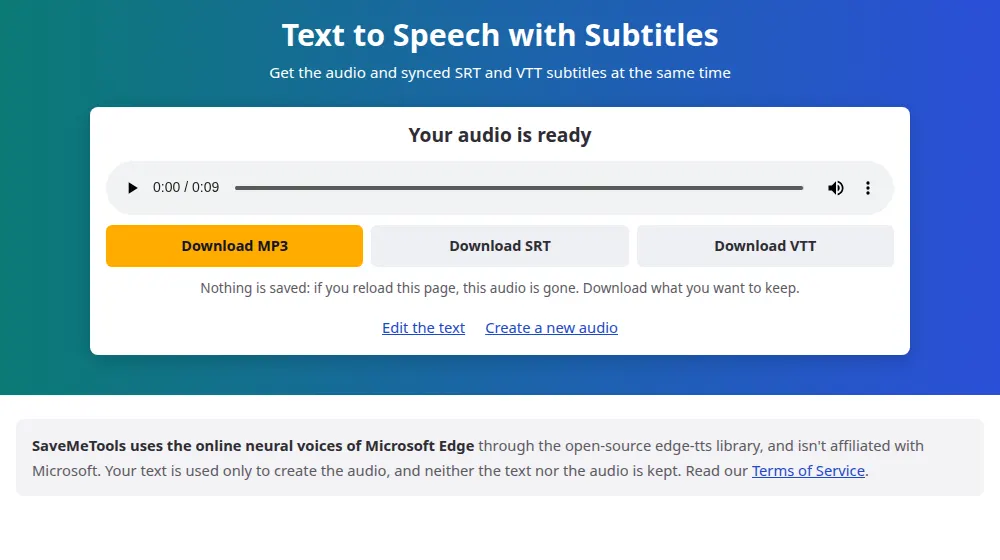
When you write a script and then add subtitles, you normally have to line up every sentence by hand. Here that's unnecessary. While the voice speaks, it reports the exact moment of every word. SaveMeTools uses those times to build the subtitles, so they match the audio from the first frame.
How we build each line
- Lines of up to 42 characters, the usual limit for reading comfortably on a screen.
- No more than five seconds on the screen at once.
- A new line starts after each sentence.
- Your punctuation and capitalization are kept, just as you wrote them.
SRT or VTT?
SRT is the universal choice: it works in YouTube, CapCut, Premiere, DaVinci Resolve, VLC and nearly every other video program. VTT is the standard for web pages, used by the HTML video player. If you're not sure, choose SRT.
Using them in a video
- Generate the audio and download both the MP3 and the SRT.
- Import both into your editor, and put the audio on the timeline at the very start.
- Import the SRT as captions. They'll line up with the voice on their own.
- Adjust the style, or burn the captions into the video, if you want them always visible.
Why subtitles are worth it
Many people watch videos on their phones with the sound off, and without captions they'd just scroll past. Subtitles also make your videos accessible to deaf and hard-of-hearing viewers, and give search engines text to read.
How speed affects your subtitles
Subtitles are timed from the final audio, so they stay in sync at any speed. What changes is how much time people have to read them:
- Faster speech, less reading time. At +100%, each line stays on screen half as long as at normal speed. For videos that rely on subtitles, it's best to stay at or below +15%.
- Tutorials and explanations: -5% to -10% gives people time to read and listen at once.
- Pitch: doesn't affect subtitles, because it doesn't change when each word is said.
Frequently asked questions
Do subtitles work in every language?
Yes, in all of the languages on this page, including Chinese, Japanese and Arabic. The times come from the voice itself, so they don't depend on the alphabet. Check how your video editor handles right-to-left text and special characters before you publish.
Can I edit the subtitles?
Yes. SRT and VTT are plain text files. Open them in Notepad or any editor and change the words. Keep the lines with the times as they are. If you change the text a lot, the reading pace may no longer match what's being said.
If I change the speed, do the subtitles follow it?
Yes. The times come from the final audio, so they already take your speed into account. Just remember to download the subtitles and the audio from the same generation: if you generate it again with another speed, download both files again.
Can I upload a video to get subtitles for it?
Not here: this tool starts from text and reads what you type. To get text and subtitles from a recording, use the speech to text tool. If you have a script, paste it here, and you'll get a new narration with subtitles that match it exactly.
Should I download SRT or VTT?
YouTube accepts both, and most video editors, such as Premiere Pro and DaVinci Resolve, import SRT. VTT is the format made for web pages and online players. If you're not sure, start with SRT. Both have the same text and the same times, so you lose nothing by trying.
Do the subtitles come burned into the audio or video?
No. They're separate files with the text and the times, so nothing is added to the MP3. You add them to your video in your editor or upload them with it on the platform, and viewers can then turn them on or off.