How to compress a PDF
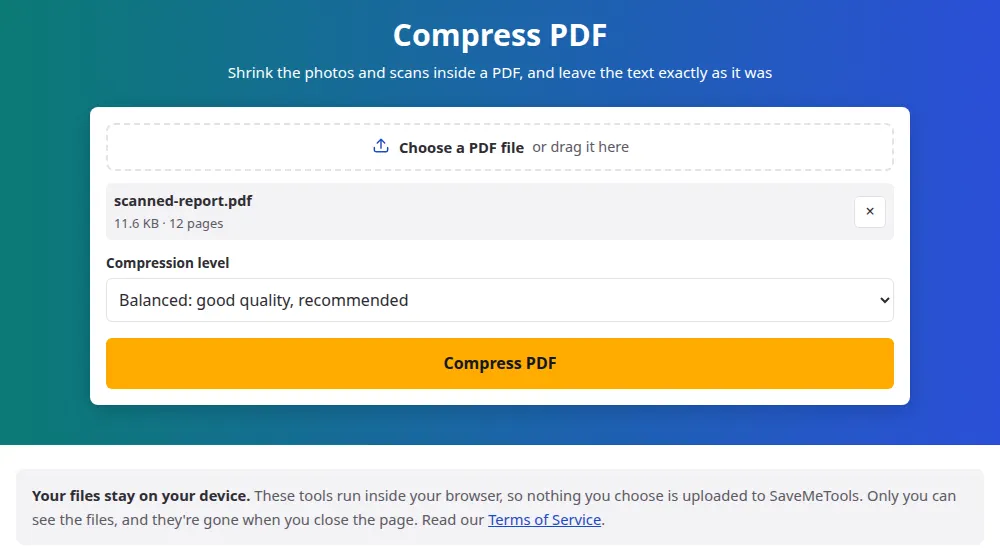
- Press Choose a PDF file and select your file, or drag it onto the box.
- Pick a compression level. Balanced is a good place to start.
- Press Compress PDF and wait while each picture in the file is processed.
- Check the sizes before and after on the result screen, then save the file. It keeps its name, with "-compressed" at the end.
Which level should you choose?
- Balanced: pictures stay at about 1750 pixels on their longest side, roughly 150 DPI on an A4 page. Good for reading on screen and for ordinary printing.
- Light: pictures keep up to 2500 pixels and more of their detail. Choose it for documents with fine print inside images, such as scanned contracts.
- Strong: pictures drop to about 1100 pixels with heavier compression. Use it when the file only needs to be read on a screen, or when a size limit is tight.
Nothing stops you from trying more than one. Your original stays untouched on your device, and Change the settings brings you back to the same file, so you can compare levels before deciding which one to send.
Which PDFs shrink the most
- Scanned paperwork: every page is a photograph of a sheet of paper, so nearly all of the weight is in pictures.
- Brochures, reports and slides with photos: large images are often stored at a higher resolution than any screen needs.
- Screenshots saved in a document: they are often kept with no photo compression at all, and can shrink a lot.
- Plain text documents: these are already small. Words take up very little room, so there is rarely much to gain.
What this tool leaves alone
Only pictures change. Text remains real text, so you can still select it and search it, and it stays just as sharp when you zoom in. Links, bookmarks, filled-in form fields and the page order all stay the same. Some kinds of picture are also skipped because redoing them could alter their colors, such as those prepared for professional printing in CMYK. If a new version of a picture wouldn't save at least a tenth of its size, the original is kept.
When a file still won't fit a limit
Email services and application portals often refuse attachments above a set size. If the strongest level isn't enough, send only the pages that matter using split PDF, or break a long document into parts and send them separately. If the heavy pages come from your own photos, you can also compress the images first and build the document again with JPG to PDF.
Frequently asked questions
Will the text in my PDF become blurry?
No. Text isn't stored as a picture in a normal PDF, and this tool only touches pictures. The exception is a scan: there, the whole page is an image, so words can lose a little sharpness at the Strong level. Try Light if a scan has small print.
Why didn't my PDF get any smaller?
Most likely it holds few pictures, or they were already well compressed. A file of plain text has almost nothing to remove. When the result wouldn't be smaller, you get the original back and a note saying so, rather than a larger copy.
How much smaller will the file get?
It depends entirely on what is inside. A scan or a photo-heavy brochure can often lose more than half of its size, while a text document may barely change. The exact sizes before and after appear on the result screen, so you know what you got before downloading.
Can I compress a PDF to an exact size, like 1 MB?
Not directly. The tool offers three levels rather than a target, because the result depends on the pictures in each file. Start with Balanced, go to Strong if needed, and if it still doesn't fit, cut the pages you can spare with split PDF.
Does it work on password-protected PDFs?
No. An encrypted file can't be read until the password is removed, and the tool tells you so instead of failing silently. Open it in your PDF reader, save a copy without the password, and try that copy.
What happens to a digitally signed PDF?
The signature stops being valid. A digital signature certifies the exact contents of a file, and compression changes them. Compress before signing whenever you can, and keep the signed original for anything official.
Is my document sent to a server?
No. The compression runs in your browser tab, so a confidential file never leaves your device. Files of up to 100 MB are accepted, or 50 MB on phones and other devices with little memory.