How to convert text to speech
It takes less than a minute. Here's each step, what the settings do and how to fix common problems.
Open the text to speech toolStep 1: write or paste your text
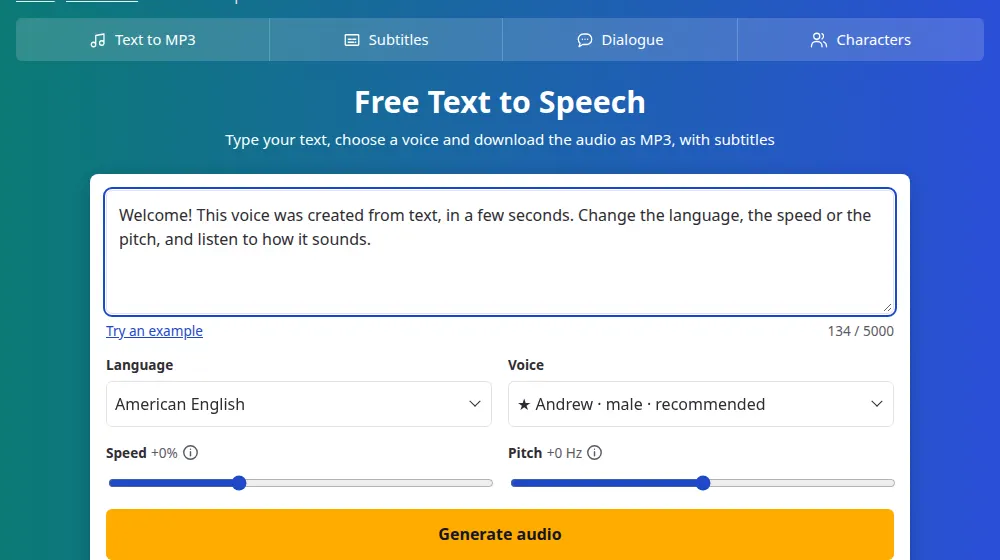
Open SaveMeTools and put your text in the box, up to 5,000 characters. The counter below it shows how much you've used. Short of ideas? Try an example fills in a sentence for you.
Step 2: choose the language and voice
The Language menu lists each language and accent. Then the Voice menu shows the voices for that choice, with the recommended ones first, marked ★. The language must match your text, unless you're using a ★ voice, which can read many languages.
Step 3: adjust the speed and pitch
- Speed goes from -50% to +100%. Small changes sound the most natural.
- Pitch makes a voice higher or lower. Stay within ±10 Hz, or it starts to sound artificial.
Step 4: generate and download
Press Generate audio. A bar shows the progress, and the audio starts by itself when it's ready. Under the player you'll find the MP3 audio and the SRT and VTT subtitles.
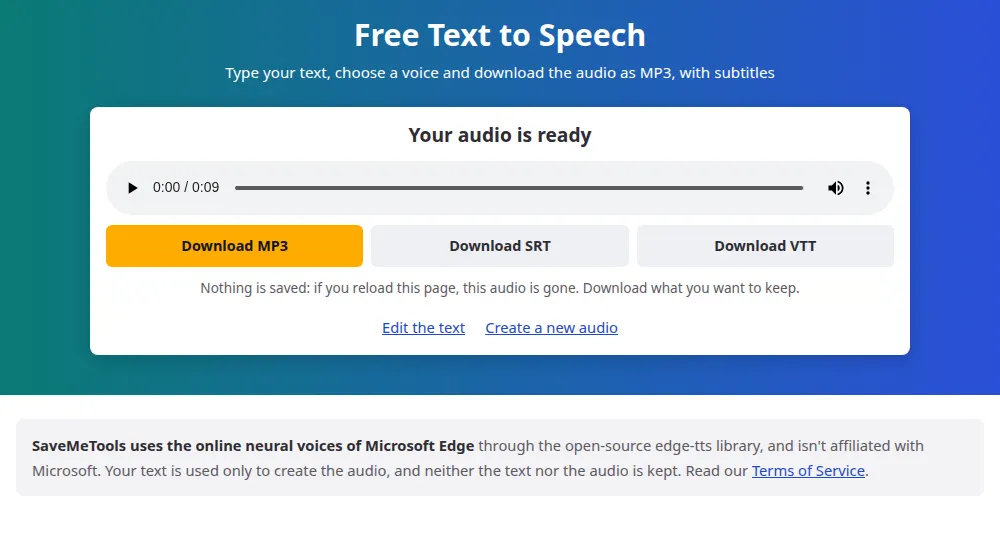
Download before you leave. We don't save anything, so reloading the page deletes the audio.
If something goes wrong
- "This voice couldn't read your text": the voice and the text are in different alphabets, such as an English voice with Russian text. Choose a voice in the language of the text, or one marked ★.
- "The voice service is busy": wait a minute and try again.
- The limit message: there's a limit per hour, to keep the service free for everyone. Come back a little later.
- A word sounds wrong: write it the way it's pronounced.