All PDF tools
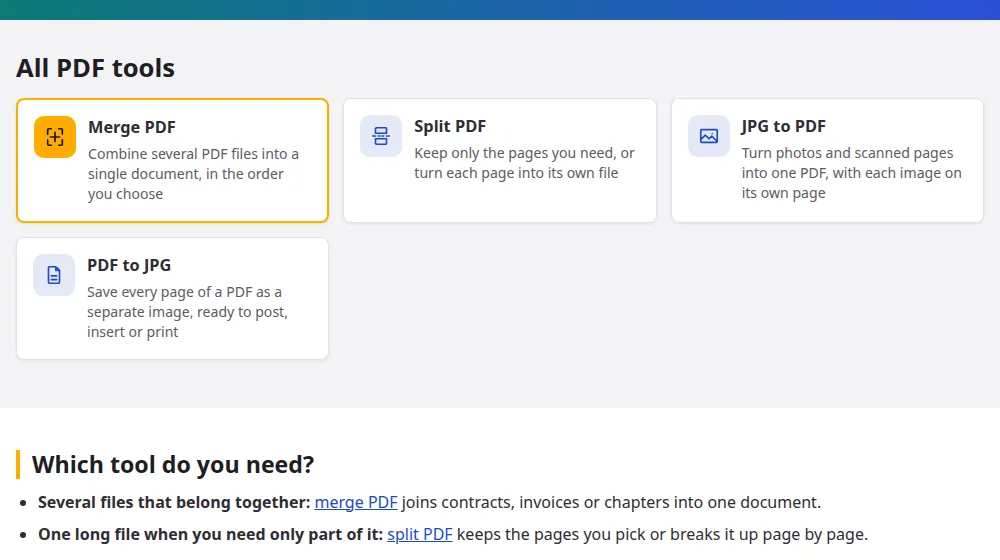
Which tool do you need?
- Several files that belong together: merge PDF joins contracts, invoices or chapters into one document.
- One long file when you need only part of it: split PDF keeps the pages you pick or breaks it up page by page.
- Photos of paperwork: JPG to PDF turns pictures taken with your phone into a document you can send.
- A page you want to post or insert elsewhere: PDF to JPG saves every page as a picture.
- A file too heavy to send: compress PDF shrinks the pictures inside it and leaves the text alone.
Why these tools don't need an upload
Most PDF sites send your document to a server, process it there and ask you to trust that it gets deleted. Here the work happens inside the browser tab, using open-source libraries. That matters for what people usually put in a PDF: bank statements, ID scans, medical results and signed agreements. It also means a large file doesn't have to crawl through your connection, since nothing travels.
Three everyday situations
Applying for something online
Application portals often ask for one document, while you have a form, a certificate and an ID scan. Photograph what's on paper, convert it to PDF and merge the lot in the order the portal lists them.
Sending only what the other person needs
An accountant needs page 14 of a 60-page report, not the rest. Pulling that page out makes a much smaller attachment, and you aren't sharing what isn't their business.
Showing a document on social media
Instagram and most chat apps show pictures right away, while a PDF has to be opened. Turn a flyer or a menu into JPG and it appears directly in the feed.
What these tools don't do
They don't edit the text inside a PDF, and they can't open a file protected by a password until you remove it. Conversion to Word isn't available yet, because keeping a layout intact takes a much heavier process, and we'd rather not offer a page that gives you a messy result.
Frequently asked questions
Are these PDF tools free?
Yes, with no account and no watermark on your documents. Ads pay for the site, and because your own device does the processing, each use costs us very little, so there's no reason to charge for it.
Is it safe to use them with private documents?
The files aren't uploaded, so they don't reach our server or anyone else's. If you want to check, your browser's network panel shows no file being sent, however large it is. The ads on the page have no access to the files you choose.
Do they work on a phone?
Yes, on Android and iPhone browsers. Phones have less memory than computers, so very large PDFs may fail there. If that happens, try the same file on a computer, or work with fewer pages at a time.
How large can my PDF be?
Up to 100 MB per file, and 300 MB in total when you merge several. The limit protects your browser, because the whole document has to fit in your device's memory while it's being processed.
Can I convert a PDF to Word here?
Not yet. It's the most requested conversion, but a good one has to rebuild the layout of the page, and we'll only add it once the results are good. To reuse a page as an image in the meantime, use PDF to JPG.
Can you remove the password from my PDF?
No. The tools refuse protected files and show a message. If the document is yours and you know the password, open it in your PDF reader, save a copy without the protection and use that copy here.