Free online image tools
Compress, resize and convert pictures right in your browser, with no upload
Try our tool of the moment: Compress image
All image tools
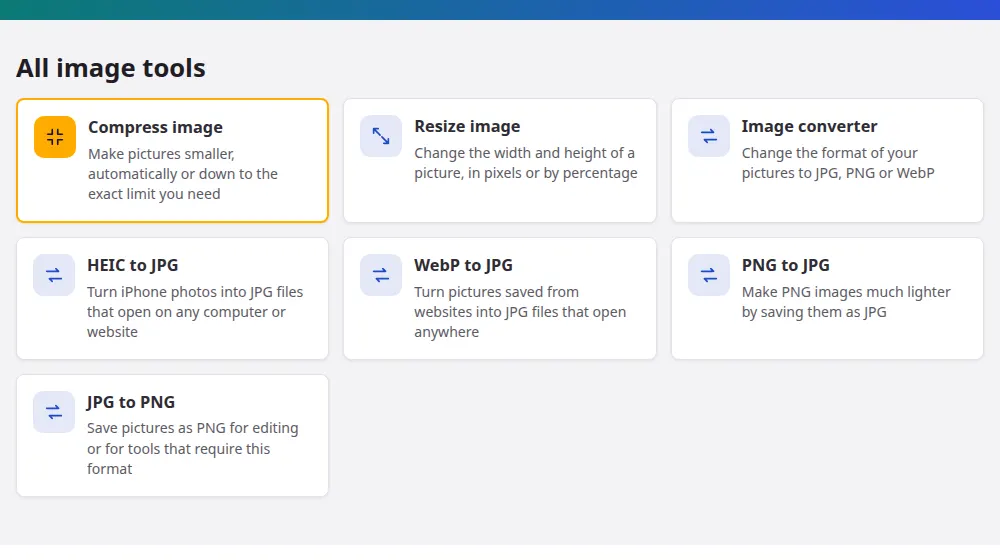
Pick the tool by the problem
- A site says your photo is too big: compress image brings it under 50 KB, 100 KB or another limit.
- It has to be exactly a certain size: resize image changes the width and height in pixels.
- It won't open or upload: the image converter changes the format. The most common cases have their own page: HEIC to JPG and WebP to JPG.
File size and picture size aren't the same thing
Size in pixels is how much picture there is: 1920 × 1080, for example. Size in KB or MB is how much space the file takes. A photo can keep all its pixels and still weigh far less after compression, because it stores details you'd hardly notice in fewer bytes. Reducing pixels shrinks the file as well, but you lose real detail. When a form asks for a limit in KB, compress first. When it asks for a limit in pixels, resize first.
Which format for which use?
- JPG: photographs. It's small and opens everywhere, but it has no transparency and loses some quality each time it's saved.
- PNG: logos, screenshots and drawings with sharp edges or a transparent background. It keeps every detail, at the cost of bigger files.
- WebP: pictures for websites. It's usually smaller than JPG at the same quality, though some older programs can't open it.
- HEIC: what iPhones use by default. It's very efficient, but Windows and many sites still don't accept it.
Keep the original
Once compression throws away detail, there's no bringing it back, and a smaller copy can't be enlarged into a sharp one. That's why these tools never touch your original file: they always create a new one. Keep the original for later, and send the copy.
Frequently asked questions
Do you upload my pictures?
No. They're opened and processed by your browser, on your device. No photo reaches our server, which also makes the tools quick: there's no waiting for an upload, however large the picture is.
Is there a limit on how many images I can process?
Each round takes up to 50 images of up to 40 MB each. There's no limit on rounds, because your own device does the work. On a phone, smaller batches are less likely to run out of memory.
Will my photo lose its location and camera data?
Yes, whenever a new file is created. Saving through the browser drops the hidden data stored by cameras, including GPS location, date and phone model. That's good for your privacy, though you shouldn't rely on it if a file was kept unchanged, as the result will say.
Which image tool should I use for a website?
Start with the size your layout really shows, using resize image, then compress or convert to WebP. A 4000-pixel photo in an 800-pixel space wastes bandwidth, and that step saves more than any format change.
Can these tools make a blurry photo sharper?
No. They change the size, weight or format of a picture, and they can't create detail that isn't there. Enlarging a small picture only spreads the same pixels further, and it won't get any crisper.
Do they work with animated GIFs?
A GIF can be opened, but only its first frame is kept, so the animation is lost. The tools are meant for still images, and animated pictures need a different kind of processing.