How to convert MP4 to MP3
- Press Choose a video or audio file or drag it to the box. MP4, MOV, MKV, WebM and AVI all work.
- Choose the MP3 quality. 192 kbps suits nearly everything.
- Press Convert to MP3. A bar shows the upload and then the conversion, usually within a minute.
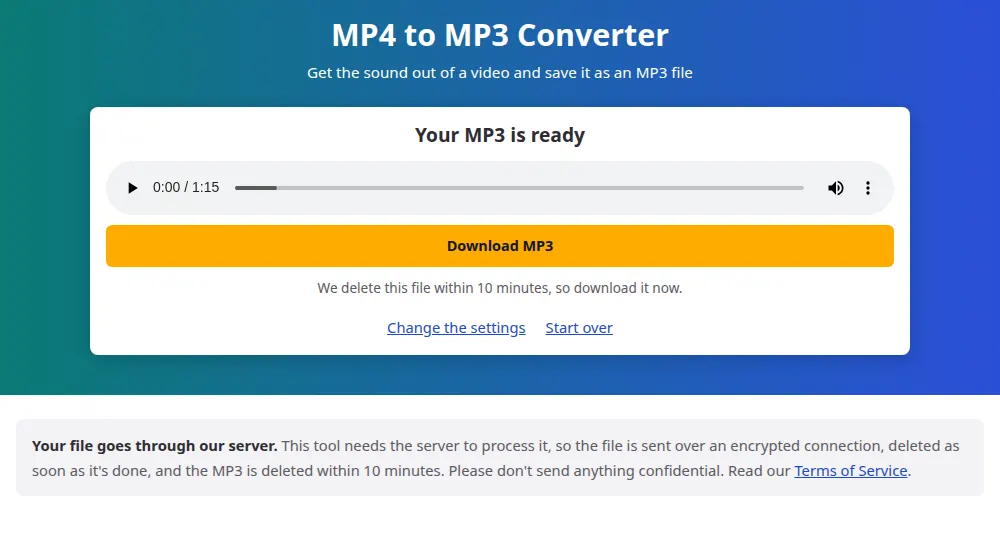
- Listen to the result on the page and press Download MP3.
Which quality should you choose?
- 128 kbps: talks, classes and meetings. A one-hour lecture would take up about 55 MB, and voices stay perfectly clear.
- 192 kbps: the safe choice for music and mixed content, with about 1.4 MB per minute.
- 320 kbps: the highest quality MP3 allows, for music that was well recorded in the first place.
A higher number can't add what the video doesn't have. Phone videos and clips from social media usually carry audio at around 128 kbps, so choosing 320 only gives you a larger file.
Good uses for the audio of a video
- Listening to a recorded class or a talk on your commute, with your screen off and your battery saved.
- Sending the sound of a meeting to someone who doesn't need the picture, in a much smaller file.
- Keeping the voice notes you recorded on video, or a performance of your own.
- Getting a clean audio track to bring into an editor, or to transcribe.
Why this one goes through a server
Most tools on SaveMeTools work inside your browser, but converting video is demanding for a phone, so this one uses our server. Your video travels over an encrypted connection and is erased as soon as the MP3 is ready. The MP3 itself is erased within 10 minutes, whether you've downloaded it or not. Neither is ever linked to you, and we don't keep the file's name.
Only for what you have the right to use
This tool is for your own videos and for content you've got permission to use. Extracting the soundtrack of a film or a commercial music video doesn't give you rights over it, and it's not something you can republish. When in doubt, ask the owner.
Frequently asked questions
How long does the conversion take?
Usually less than a minute. Most of the time is the upload, which depends on your connection, as the conversion itself runs far faster than the length of the video. At busy times you may wait your turn: the page shows your place in line.
What's the largest video I can convert?
Up to 100 MB and 30 minutes. A phone video can exceed that quickly, since a minute of 4K may take up more than 300 MB. If yours is too big, use a shorter clip, or record the part you need at a lower resolution.
Why does it say my file has no sound?
Some videos really don't have an audio track, such as screen recordings with the microphone off, and many GIF-style clips. Play it first with the volume up to check. If you can hear it and still see the message, try exporting the video again.
Can I convert a YouTube or Instagram link?
No, this page needs the file itself. It's not made for taking audio from other people's videos on those platforms. For your own video, download the copy each platform offers you, then choose that file here.
Is the MP3 cut or watermarked in any way?
No. You get the entire soundtrack, from the first second to the last, with no added voice or sound and no limit on how many times you listen. To keep just a part of it, use the audio cutter.
Does it work on a phone?
Yes, on Android and on iPhone. As your phone isn't doing the conversion, it doesn't matter how old it is. Keep the page open while the file is uploading, because switching to another app can interrupt the connection.
Can I convert an iPhone video?
Yes. iPhones save videos as MOV, and they convert just like MP4: choose the video from your Photos or Files and download the MP3. The same goes for MKV, WebM and AVI files from other cameras and apps.