One language, many accents
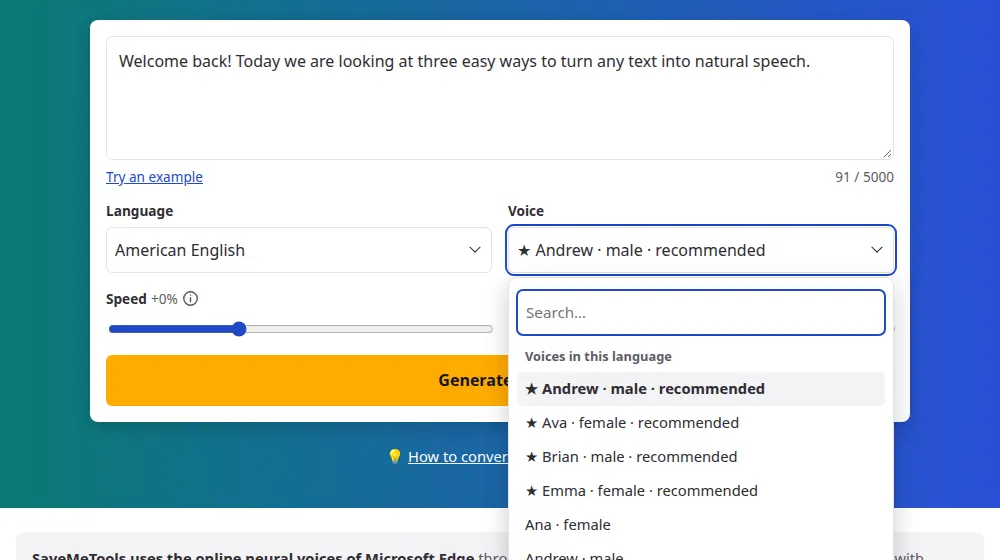
English sounds different around the world, and the accent is part of your message. In the Language menu you'll find separate entries for the United States, the UK, Australia, Canada, Ireland, India, New Zealand, South Africa and more, each with its own voices. Choose the one your audience will find most familiar.
How to make English audio
- Paste your English text in the box. This page opens with American English selected.
- To change the accent, choose another option in the language menu, such as British or Australian English.
- Pick a voice. Start with those marked ★, then press Generate audio.
- Listen and download the MP3, or the subtitles in SRT and VTT.
Which voice to start with
- For narration: the ★ voices of the United States, such as Andrew, Ava, Brian and Emma, are the most natural.
- For British English: the voices under United Kingdom, such as Sonia and Ryan.
- For teaching: a voice in the accent your students will meet the most, at -10% speed.
Words that voices get wrong
Names, abbreviations and newer words may come out oddly. Spell them the way they sound: "Nguyen" could be "Win", and "SQL" could be "sequel". For a number, decide how you want it said: "1999" may be read as a year or as a quantity, so write "nineteen ninety-nine" if the context is unclear.
Speed settings for learning English
Lowering the speed is a simple way to follow English that's still too fast for you, and it doesn't change the accent you hear.
- Starting out: -25% gives you time to catch each word.
- Building up: -10% is close to natural speech, and good for repeating sentences out loud.
- Getting ready for real conversations: practice at 0%, the voice's normal pace, and then at +10%.
Frequently asked questions
Which is the best English voice?
It's a matter of taste, but the voices with a ★ tend to sound most natural: Andrew, Ava, Brian and Emma in American English, and William in Australian English. Try the same text with two or three of them, because a voice that suits an ad may not suit a lesson.
Can an English voice read other languages?
The voices marked ★ can read other languages. The others are made for English only, and may fail on another alphabet. If your text mixes languages, such as a French name in an English sentence, the ★ voices are also the ones that handle it best.
Which English accents are available?
American, British, Australian, Canadian, Irish, Indian, New Zealand and South African, among others: 14 in total. Each has its own option in the language menu. American English has the most voices, and most of the others offer two or more.
Should I use American or British English?
Follow your audience, and your text's spelling too. A script with "colour" and "lift" sounds more coherent in a British voice. If you have no particular audience in mind, American voices are a safe option, and they're also the ones with the most choices.
Can I slow the voice down to practice English?
Yes. Move the speed slider to the left: −25% is good for practice, and it goes down to −50%. Listen while reading the text, then raise the speed little by little. The subtitles tool also gives you the text in sync with the audio.
How do I fix a word that's pronounced wrong?
Change how it's written. Write it the way it sounds, split it with a hyphen or put an abbreviation in full, as in "doctor" instead of "Dr.". Generate only that sentence to test it, and change the rest of the text once it sounds right.
Can I use it to hear how an English word is pronounced?
Yes. Type the word, or better a short sentence with it, choose an American or a British voice and press play. Hearing a word inside a sentence shows how it really sounds in speech, and you can lower the speed to catch each sound.