Tell a story with a full cast
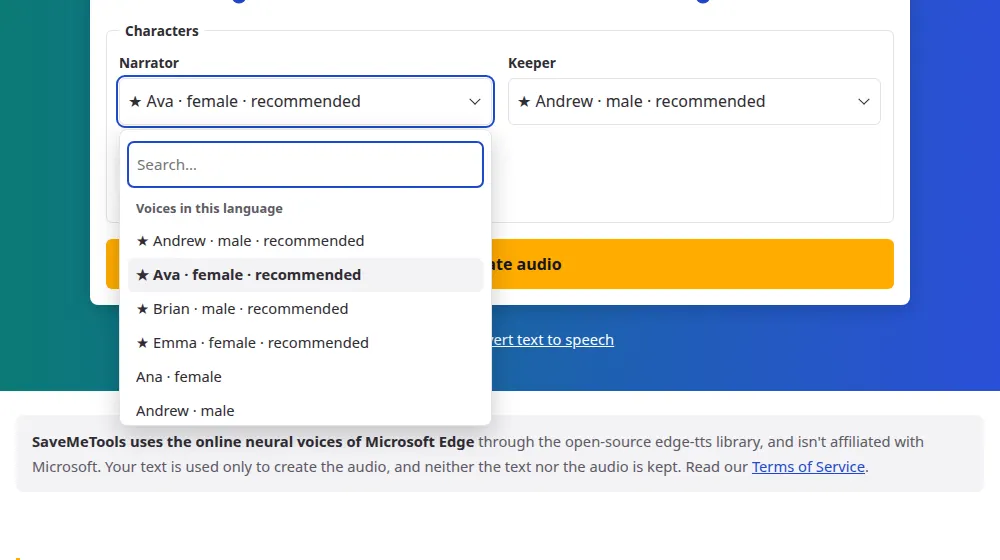
A story read by a single voice can get flat. With a voice for each character, listeners always know who is speaking. Write your script with one speech per line, in the format Name: what they say, and choose a voice for each name. A narrator is a character like any other: just start the line with Narrator:.
How to give each character a voice
- Write your script with one speech per line: Narrator: It was raining that night. Press Try an example to see it.
- Choose the language. Each name you've used gets its own voice menu.
- Test voices that suit each role: age, tone and energy matter more than the name.
- Press Generate audio and download the MP3, with the subtitles if you need them.
Good for
- Audio versions of short stories and children's tales.
- Animatics and rough cuts of animations, before recording with actors.
- Game prototypes, to hear what the lines sound like in context.
- Audio dramas and fiction podcasts, for practice or for fun.
- Reading practice: students follow the text while each character speaks.
Casting your characters
- Start with the narrator. It's the voice people will hear the most, so choose a calm and clear one.
- Set characters apart. Voices that are too similar are hard to follow without visual cues.
- Listen to a short scene first. Test a few lines with each voice before generating the whole script.
- Use speed and pitch with care. They apply to the whole audio: for a character who needs to sound very different, try another voice instead.
Limits worth knowing
Each story can have up to 6 characters, 100 lines and 5,000 characters in total, or about five minutes of audio. Longer stories can be split into chapters, using the same voices. These voices are made for clear speech, not for acting: they don't shout, whisper or cry on command. The list of voices shows all the options by language.
Be careful with real people
Don't use these voices to make people believe that a real person said something. When you publish, make it clear that the voices are generated, and check Microsoft's terms before any commercial use, since the voices are theirs.
Can one character have a different speed or pitch?
Not within a single audio: Speed and Pitch apply to the whole cast. If one character needs to sound very different, you have two options.
- Choose another voice. It's the simplest way, and it usually sounds better than a big change in pitch.
- Generate that character separately. Create those lines on the text to MP3 page with their own settings, and put the parts together in an audio or video editor.
Frequently asked questions
Can I create a custom voice for my character?
No. SaveMeTools only offers the voices in the list, and it doesn't clone or design voices. What you can do is explore: the voice list describes each voice's style, such as warm, friendly or confident, so it's easier to find one that fits.
Does the narrator count as a character?
Yes. The narrator is one of the 6, so you have room for 5 more. Write the name the same way on every line, because each different spelling counts as a new character and takes up one of the places.
Do the subtitles show who is speaking?
Yes. In the SRT and VTT files, the first line of each speech starts with the character's name. That helps in videos with several voices. If you'd rather not show names, you can delete them in any text editor without changing the times.
Can I make a character sound like a child or an elderly person?
Some languages have voices with a younger sound, and you can check them in the voice list. Raising or lowering the pitch applies to every character at once, so it's better to choose by voice than to rely on that setting.
How do I choose voices that sound different from each other?
Mix male and female voices, and use different styles for the main roles. Generate a short scene with just a few lines before making the whole script: it takes seconds and shows whether two characters sound too alike.
Can I use a famous character's name?
You can write any name in the script, since the voices only read the text. But they don't imitate anyone: the name just labels the menu and the subtitles. For public or commercial projects, remember that famous characters are usually protected by copyright.