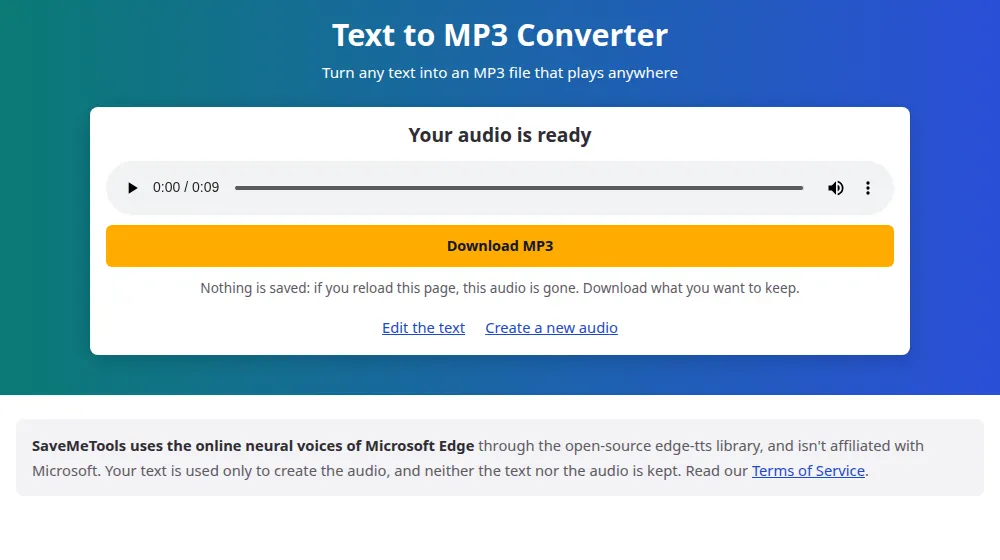
From words to a file you can keep
A voice in your browser's reader is gone as soon as the page closes. An MP3 stays with you: you can copy it to your phone, send it on WhatsApp, put it in a video or play it in the car. Paste your text, generate the audio and press Download MP3.
How to convert text to MP3
- Type or paste your text in the box, up to 5,000 characters.
- Choose the language and a voice. Those marked ★ are the most natural.
- Press Generate audio and listen to the result in the player.
- Press Download MP3 to keep the file. Nothing is saved after you leave the page.
About the file
- Format: MP3, which plays on practically every device made in the last 25 years.
- Quality: 24 kHz mono at 48 kbps, tuned for voice. It's clear, and very light: one minute takes up around 360 KB.
- Size limit: 5,000 characters per audio, or about five minutes of speech.
Everyday uses
- Turn a report or an article into something you can listen to on the way to work.
- Record a voice message without using your own voice.
- Create phone menu greetings and shop announcements.
- Make audio versions of study notes and listen while revising.
- Help someone with low vision or dyslexia to get through a document.
Joining several parts
If your text is longer than the limit, generate it in parts, using the same voice and settings so that it sounds consistent. MP3 files can be joined with free editors such as Audacity, or with any video editor.
Speed, pitch and your MP3
The settings you choose also change the file you take away:
- Length and size: speed changes both. At +100% the audio lasts half as long and the MP3 is half the size; at -50% both double.
- Pitch: doesn't change the length or the size of the file, only how high or low the voice sounds.
- Messages and announcements: a slightly slower voice, around -5%, is easier to follow over a phone or a shop speaker.
- Long texts for later: try +10% to +25% to get through them sooner.
Frequently asked questions
Can I choose a higher bitrate?
No. The voices are delivered at 48 kbps. For speech, that's a good match: a higher bitrate would add size, not clarity. Converting the file afterwards won't improve it either, because the detail isn't there to begin with.
Can I get a WAV file?
Only MP3 is available. If your editor requires WAV, Audacity and similar programs can convert it in seconds: open the MP3 and export it as WAV. Bear in mind that the file gets larger, but the sound stays exactly the same.
Where's my MP3 saved?
In your browser's default download folder, usually Downloads. On iPhone, it goes to the Files app, and on Android, to the Downloads folder or the Files app. From there, you can move it to a music app or share it on any messaging app.
How big will the file be?
About 360 KB per minute of speech, so a full 5,000-character text, at around five minutes, makes a file of about 2 MB. That's small enough to send on WhatsApp or by e-mail, or to keep many of them on your phone.
Can I make an MP3 longer than five minutes?
Yes, in parts. Split the text, generate each part with the same voice, speed and pitch, and join the files in a free editor such as Audacity. Because the settings are the same, the transitions are hard to notice.
Does the file keep working after I close the page?
Yes. Once downloaded, the MP3 is yours and has no connection to this site: it plays with no internet and has no expiry date. What disappears when you close the page is the copy in the player, so download it before leaving.